GitHub
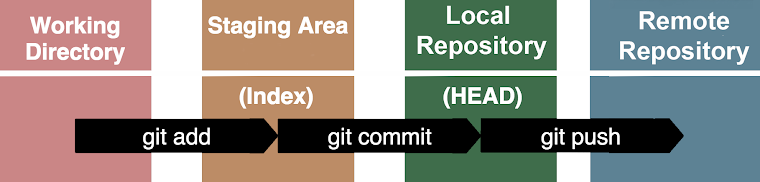
After a commit, go to GitHub and create a repo. Follow the GitHub provided
prompts. Push your existing local repo from your computer terminal to
GitHub.
- git remote add orgin
- git branch -M main
- git push -u orgin main
- git remote add orgin
-
Add a remote repo (GitHub) tp your local repo. Orgin is the name of your
remote repo. The web address is where you can find the repo on GitHub
- git branch -M main
- Set the name of the branch to main. The -M is for move/rename
- git push -u orgin main
- Pushes your local main branch to the remote repo named orgin